
Organize the everyday.
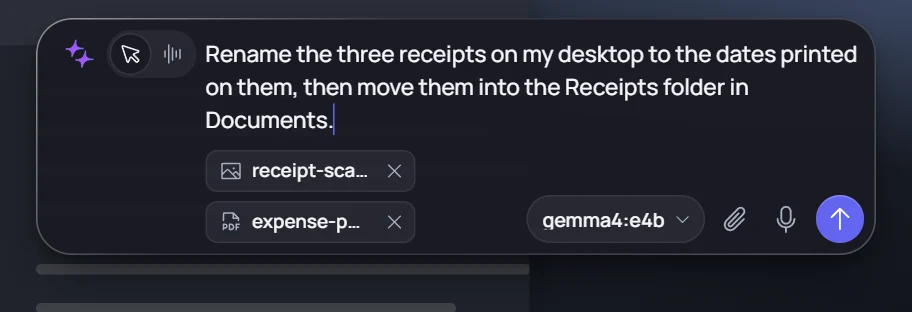
Bring a file task into focus. Ask Eydra to rename, move, or inspect the files you choose.
Explore what Eydra can do across your desktop.
Three independent examples.
One connected workspace.
Bring a file task into focus. Ask Eydra to rename, move, or inspect the files you choose.
Follow the visible cursor and action trace in a guided web pilot demonstration, including approval controls.
A separate Blender session turns a reference into an editable scene. Connected tools bring specialist work into reach.
Bring a file task into focus. Ask Eydra to rename, move, or inspect the files you choose.
Follow the visible cursor and action trace in a guided web pilot demonstration, including approval controls.
A separate Blender session turns a reference into an editable scene. Connected tools bring specialist work into reach.

Here are two that already did.
Actual artifacts from Eydra sessions.
Explore the render 
A workshop recreated as an editable Blender scene: geometry, materials, lighting, and a camera. Built through the connected tools, with the selected model doing the planning.
An actual recreation from a reference image. Results depend on the reference, model, and review.
Open Settings → Knowledge → Connected tools. Identify your add-on first: Blender Lab and the community MCP for Blender use different servers. Choose Local executable and use the matching executable and arguments from the guide. Keep Blender and its add-on running.
See every field and the Settings screenshot →
A dimensioned reference becomes an editable Fusion model. Work with explicit units, inspect geometry, and export files for the next step.
Blueprint ambiguities remain assumptions. Always verify dimensions, tolerances, and print suitability.
Install the Fusion MCP server and add-in, then use Settings → Knowledge → Connected tools → Local executable. The server arguments must match the add-in’s port.
See the Fusion values and connection check →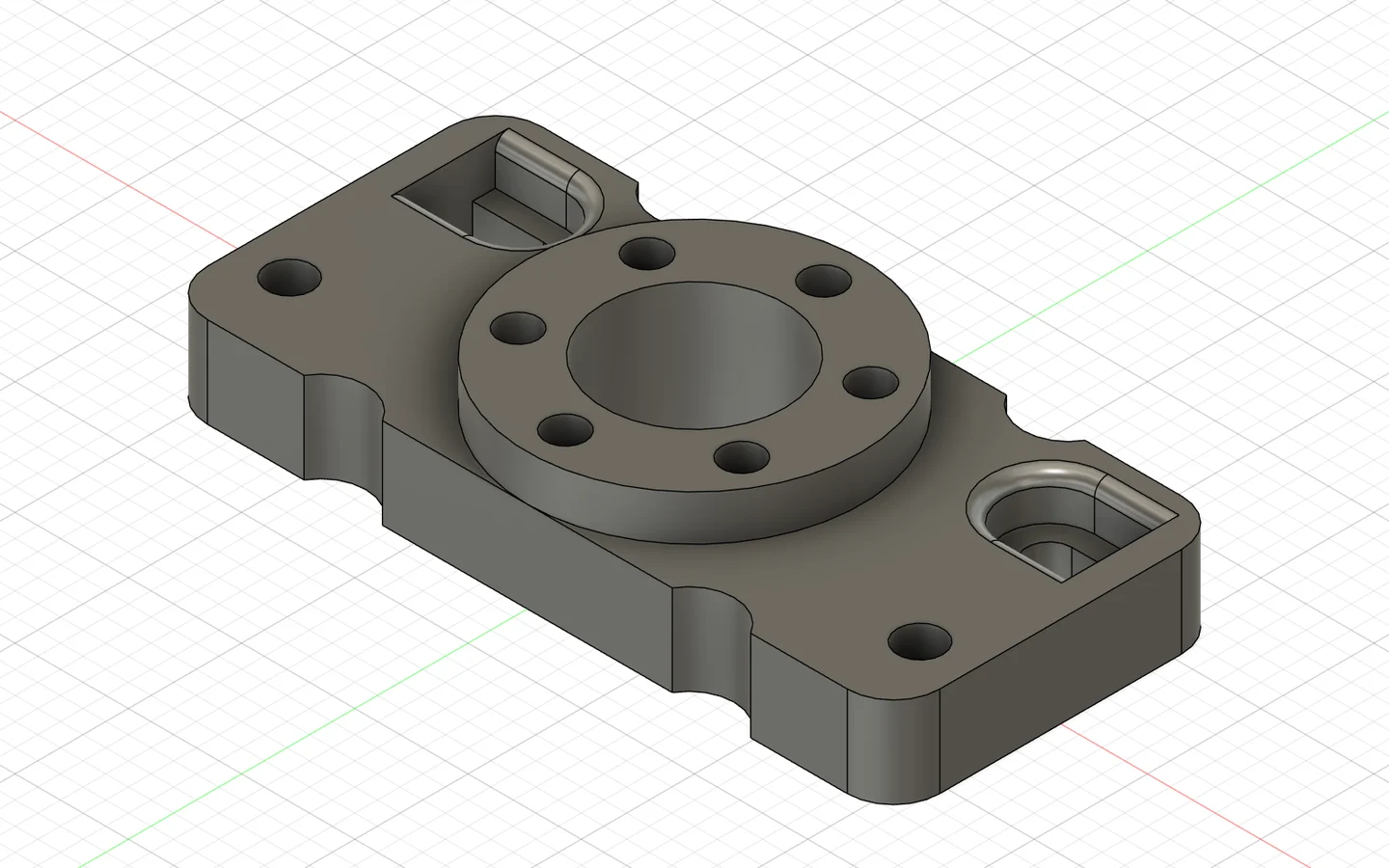
Dimensions recorded from this example model.
Your model. Your tools.
Your call when it matters.

Use OpenRouter or a compatible local model server. Switch models as the task changes. Your provider key stays in your OS keychain.
Set up a model in Settings →Visible actions, approval controls, and a task history. Sensitive UI decisions are handed back to you. Broader tools run with the permissions you grant.
Read and edit files, run Python, Node, and PowerShell, use installed programs, and connect specialist tools through MCP.
Configure runtimes and folders →Bundled skills and local guides help Eydra approach specialist work. Enable integrated Context7 documentation or connect its MCP server when a task needs current library references.
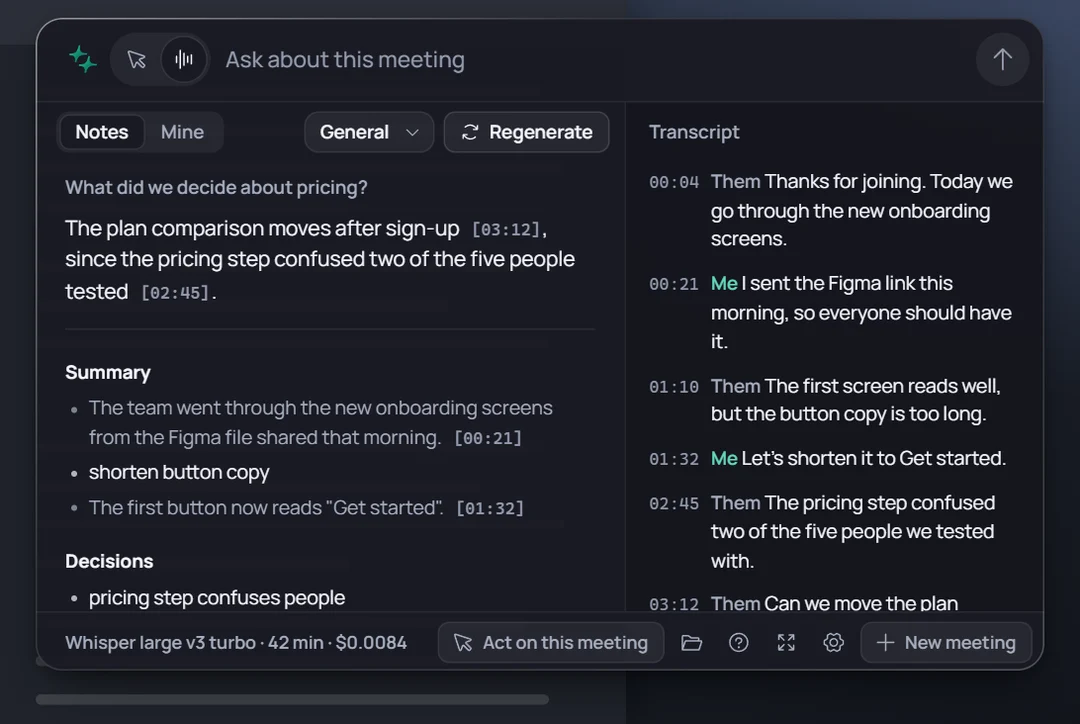
Set up Context7 and its API key →Capture a conversation, revisit its transcript, and turn it into notes and next steps. Eydra's meeting mode makes room for the part only you can do: being there.
Recording availability varies by platform. Meeting services and your chosen provider process the content you send.
Eydra is a desktop agent for Windows, macOS and Linux. You describe a task and choose a model. Eydra can read app interfaces, use local development tools, work with enabled files and call the MCP connectors you configure. What it can complete depends on your model, installed tools and permissions.
No. Connect your own OpenRouter account or use a compatible local server such as Ollama, LM Studio or llama.cpp. Model availability and image support vary. Cloud model usage is billed by your provider.
Yes. Eydra browser companion connects Chrome, Edge or Brave to the desktop app. Choose one tab or the current browser profile, read pages and group tabs opened for a task. The preview is currently installed unpacked; the homepage links to the extension and its setup guide.
Yes, through configured MCP servers. Blender also supports separate background Python execution and read-only geometry inspection. Fusion needs its application and MCP add-in installed. CAD measurements and manufacturing assumptions still need your review.
The desktop app stores your provider key in the operating system keychain. When you choose a cloud model, task context and any supported images are sent to that provider. Local model servers can keep inference on your machine; external tools and connectors have their own network behavior.
Eydra shows its work and exposes approval settings. Its UI-action guards hand sensitive decisions back to you. General execution and connected tools have wider capabilities and run with the permissions you grant; they are not a filesystem sandbox. Stop ends local execution, but cannot undo external changes that already happened.
Download the latest release from the homepage and check its signing status in the release notes. Manual releases require installing the downloaded package. Linux desktop actions require X11. Review the release notes and published checksums before installing.